
The Automation Dilemma
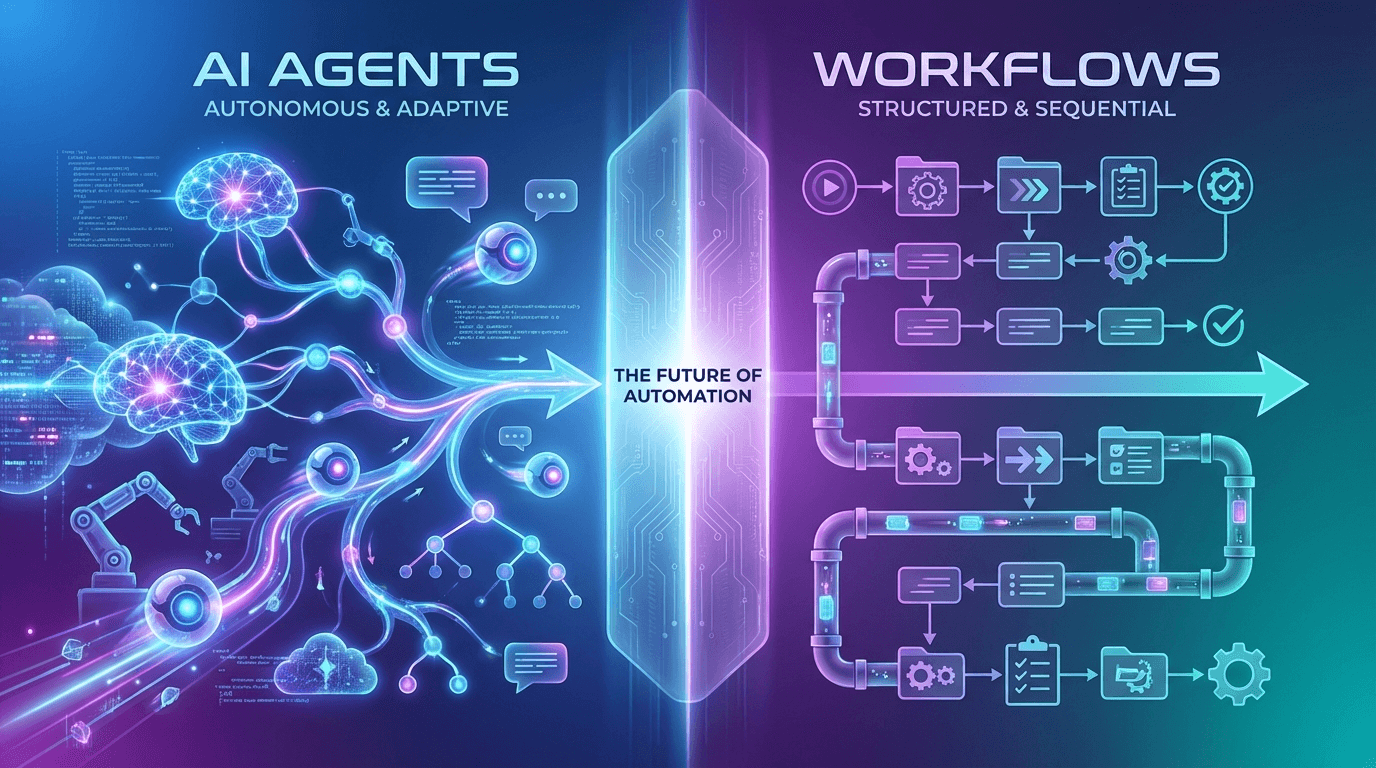
You're standing at a crossroads. Your organization needs to automate more processes, reduce manual work, and leverage AI to stay competitive. But when you start exploring automation solutions, you encounter two compelling options: AI agents and workflows. Both promise efficiency gains, but they work in fundamentally different ways—and choosing the wrong one can lead to costly missteps.
Here's the challenge: agents are like hiring a smart, adaptive assistant who can think on their feet and handle unexpected situations. Workflows are like following a detailed recipe—reliable, repeatable, and predictable. Both have their place, but knowing which to use (and when to use both) is critical for 2025.
This guide will help you navigate this decision with clarity and confidence.
Understanding AI Agents: Autonomous Intelligence at Work
What Are AI Agents?
AI agents are autonomous systems powered by large language models (LLMs) that perceive their environment, reason about situations, and take action—often without explicit human instruction for every step. Think of an agent as a digital employee who can analyze context, make decisions, and adapt on the fly.
How They Work
AI agents operate through a continuous loop:
Perception: They receive input or observe the current state of their environment
Reasoning: They analyze the situation using their underlying LLM, considering context, past interactions, and available tools
Decision-Making: They determine the best course of action, sometimes breaking complex problems into smaller steps
Action: They execute decisions by calling tools, APIs, or other systems
Feedback: They observe the results and adjust their approach if needed
This cycle repeats until the agent reaches a goal or determines that human intervention is necessary.
Key Capabilities
Dynamic Problem-Solving: Agents excel at handling novel situations they weren't explicitly programmed for. A customer support agent can address unique questions by reasoning through the problem rather than matching it to a predefined script.
Memory and Context Awareness: Agents maintain conversation history and contextual information, allowing them to make informed decisions based on accumulated knowledge.
Tool Integration: Agents can use multiple tools—databases, APIs, web browsers, calculators—and decide which tools to use based on the task at hand.
Adaptive Behavior: When initial approaches fail, agents can pivot and try alternative strategies without human reprogramming.
Reasoning Chains: Agents can break down complex tasks into intermediate steps, explaining their reasoning process (often called "chain-of-thought" reasoning).
Understanding AI Workflows: Structured Automation at Scale
What Are AI Workflows?
AI workflows are predefined sequences of steps executed in a specific order to accomplish a task. They're deterministic—given the same input, they'll always produce the same output. Think of a workflow as a checklist or a recipe: follow the steps in order, and you'll get consistent results.
How They Work
Workflows operate through a linear or branching execution model:
Trigger: An event initiates the workflow (e.g., a new file arrives, a form is submitted, a scheduled time occurs)
Sequential Execution: Steps execute in a predetermined order
Conditional Logic: Workflows can branch based on simple conditions (if X, then do Y; otherwise, do Z)
Integration: Each step may call external systems, transform data, or perform calculations
Completion: The workflow concludes when all steps are finished or a terminal condition is met
Key Capabilities
Reliability and Consistency: Workflows execute the same way every time, making them ideal for mission-critical processes where predictability is essential.
Scalability: Because workflows are deterministic and don't require reasoning, they scale efficiently to handle thousands or millions of executions.
Transparency: Every step is explicit and auditable, making workflows ideal for regulated industries where you need to prove what happened and why.
Low Latency: Workflows execute quickly because they don't require LLM inference or complex reasoning.
Easy Monitoring: Because the path is predetermined, it's straightforward to monitor progress, identify bottlenecks, and troubleshoot failures.
Key Differences at a Glance
Aspect | AI Agents | AI Workflows |
|---|---|---|
Autonomy | High—reason, adapt, and act based on evolving context; handle novel situations | Low—execute fixed, deterministic steps; no on-the-fly decision-making |
Flexibility | Excellent—adapt to new situations and unexpected inputs | Limited—rigid structure; changes require reconfiguration |
Complexity of Tasks | Ideal for dynamic, unpredictable tasks requiring reasoning (e.g., customer support, research, troubleshooting) | Best for repetitive, well-defined tasks (e.g., data entry, approvals, notifications) |
Scalability | Powerful but may introduce variability; requires governance | Highly reliable and easy to scale; explicit and repeatable |
Cost | Higher per execution (LLM inference costs) | Lower per execution (no reasoning required) |
Latency | Higher (requires LLM reasoning) | Lower (deterministic execution) |
Control & Governance | Harder to control; requires careful prompt engineering and guardrails | Easy to control; explicit steps and conditions |
Typical Use Cases | Dynamic customer support, intelligent research, adaptive troubleshooting, conversational assistants | Loan approvals, ETL pipelines, report generation, data entry, email notifications |
Explainability | Can explain reasoning but may be non-deterministic | Fully transparent; every step is auditable |
When to Use AI Agents: Scenarios and Strategic Advantages
Ideal Scenarios
1. Dynamic Customer Support
A customer contacts your company with a complex, multi-faceted issue. An agent can understand the context, ask clarifying questions, check multiple systems, and provide a tailored solution—all without a predefined script.
2. Intelligent Research and Analysis
An agent can browse the web, synthesize information from multiple sources, and provide insights on a topic. This is far more flexible than a workflow that would require you to specify every possible data source in advance.
3. Adaptive Troubleshooting
When a system fails, an agent can diagnose the problem by testing hypotheses, checking logs, and trying different solutions. A workflow would require you to anticipate every possible failure mode.
4. Conversational Assistants
Chatbots powered by agents can handle natural, flowing conversations where users ask follow-up questions, change topics, or provide context that wasn't in the initial query.
5. Content Generation and Personalization
Agents can create personalized recommendations, write tailored emails, or generate custom reports by reasoning about user preferences and context.
Benefits and Trade-Offs
Benefits:
Handle unexpected situations without reprogramming
Provide more natural, human-like interactions
Reduce the need to anticipate every possible scenario
Leverage reasoning to solve complex problems
Trade-Offs:
Higher operational costs due to LLM inference
Longer latency (milliseconds to seconds)
Harder to predict behavior; requires careful governance
May produce variable results, even with the same input
Requires more sophisticated monitoring and error handling
When to Use Workflows: Scenarios and Strategic Advantages
Ideal Scenarios
1. Loan Approval Pipelines
A workflow can check credit scores, verify income, assess collateral, and make a yes/no decision based on predefined rules. The process is deterministic, auditable, and must be consistent.
2. ETL (Extract, Transform, Load) Jobs
Workflows excel at moving data from one system to another, transforming it according to fixed rules, and loading it into a data warehouse. These processes run reliably at scale.
3. Scheduled Report Generation
Every morning, a workflow can pull data from multiple sources, aggregate it, format it, and email it to stakeholders. The process is identical every day.
4. Data Entry and Form Processing
A workflow can validate form submissions, extract structured data, and route it to the appropriate system—consistently and at scale.
5. Notification and Alert Systems
When specific conditions are met (e.g., inventory drops below a threshold), a workflow can trigger notifications, update records, and escalate to the right team.
Benefits and Trade-Offs
Benefits:
Highly reliable and predictable
Low operational costs (no LLM inference)
Fast execution (milliseconds)
Fully auditable and compliant
Easy to scale to millions of executions
Simple to monitor and troubleshoot
Trade-Offs:
Rigid structure; changes require reconfiguration
Can't handle unexpected situations
Requires anticipating all possible scenarios upfront
May feel impersonal or inflexible to end users
Limited ability to adapt to new business rules
The Hybrid Approach: Combining Agents and Workflows
Why Combine Them?
The most sophisticated automation strategies in 2025 don't choose between agents and workflows—they combine them. Here's why:
Agents decide when and how to invoke workflows. An agent can assess a situation, determine that a workflow is appropriate, and trigger it with the right parameters. The workflow then executes reliably at scale, and the agent processes the results.
Workflows provide structure and reliability to agent decisions. Instead of an agent trying to handle every detail of a complex process, it can delegate to a workflow, ensuring consistency and compliance.
Real-World Patterns
Pattern 1: Agent as Orchestrator
A customer service agent receives a support ticket. It analyzes the issue and determines that a refund is warranted. Rather than processing the refund itself (which could be error-prone), it triggers a "Process Refund" workflow with the appropriate parameters. The workflow handles the financial transaction reliably, and the agent receives confirmation to send to the customer.
Pattern 2: Workflow with Agent Enrichment
A loan approval workflow processes applications. For borderline cases, instead of automatically rejecting them, the workflow pauses and invokes an agent to conduct a deeper analysis of the applicant's financial history and circumstances. The agent's assessment informs the final decision.
Pattern 3: Agent-Driven Workflow Chains
An agent receives a complex request that requires multiple workflows. It determines the right sequence, triggers them in order, and synthesizes the results. For example, a travel booking agent might trigger a "Check Availability" workflow, then a "Calculate Price" workflow, then a "Process Payment" workflow.
Implementation Tips
Define Clear Boundaries: Specify which decisions agents make and which workflows execute. This clarity prevents confusion and ensures accountability.
Use Workflows for Critical Operations: Delegate high-stakes processes (payments, approvals, compliance) to workflows where reliability is paramount.
Empower Agents with Tool Access: Agents should be able to invoke workflows as tools, treating them like any other capability.
Monitor the Handoff: Track where agents invoke workflows and how often. This data helps you optimize the division of labor.
Build Feedback Loops: When workflows complete, ensure agents receive clear feedback so they can respond appropriately to users.
Decision Framework: Practical Guidance
Key Questions to Ask
1. Is the task well-defined and repetitive?
Yes → Workflow is likely the better choice
No → Agent may be more appropriate
2. Do you need to handle unexpected situations?
Yes → Agent is better suited
No → Workflow is sufficient
3. Is consistency and auditability critical?
Yes → Workflow is essential
No → Agent provides more flexibility
4. How much does latency matter?
Milliseconds matter → Workflow (agents are slower)
Seconds are acceptable → Agent is viable
5. What's your cost sensitivity?
Cost is critical → Workflow (cheaper per execution)
Quality matters more → Agent may justify the cost
6. Will the process change frequently?
Yes → Agent is more adaptable
No → Workflow is more efficient
7. Do you need to explain decisions to users or regulators?
Yes → Workflow (fully transparent)
Maybe → Agent (can explain reasoning, but less deterministic)
Decision Guidance
Choose Workflows If:
The process is well-defined and unlikely to change
Consistency and auditability are critical
You're processing high volumes
Cost per execution matters
Latency must be minimal
Choose Agents If:
The task requires reasoning or adaptation
You need to handle novel situations
User experience and personalization matter
You can tolerate variable latency
The cost of LLM inference is justified by better outcomes
Choose Both If:
You have complex processes with both routine and exceptional cases
You need agents to orchestrate multiple workflows
You want workflows to handle critical operations while agents provide intelligence
Common Pitfalls to Avoid
Pitfall 1: Over-Engineering with Agents
Don't use agents for simple, repetitive tasks. A workflow will be faster, cheaper, and more reliable. Reserve agents for situations where their reasoning capabilities add real value.
Pitfall 2: Under-Utilizing Agents
Don't force workflows to handle every edge case. If you find yourself adding dozens of conditional branches to a workflow, it's a sign that an agent might be more appropriate.
Pitfall 3: Ignoring Governance
Agents are powerful but require careful governance. Without clear guidelines, prompt engineering, and monitoring, they can produce inconsistent or problematic results.
Pitfall 4: Neglecting the Hybrid Opportunity
Many organizations choose one or the other when the real power lies in combining them. Think about how agents and workflows can complement each other in your processes.
Pitfall 5: Underestimating Integration Complexity
Both agents and workflows require integration with your existing systems. Plan for this complexity upfront, and don't assume it's trivial.
Conclusion: Your Automation Strategy for 2025
As you evaluate automation solutions in 2025, remember this: agents and workflows aren't competitors—they're complementary tools.
Key Takeaways:
Agents excel at reasoning, adaptation, and handling complexity. Use them when you need flexibility and intelligence.
Workflows excel at reliability, scale, and consistency. Use them for well-defined, repetitive processes.
The future is hybrid. The most effective automation strategies combine agents and workflows, with agents orchestrating workflows and workflows providing reliable execution.
Start with your business problem, not the technology. Ask what you're trying to accomplish, then choose the tool that best serves that goal.
Governance matters. Whether you choose agents, workflows, or both, invest in monitoring, testing, and guardrails to ensure your automation serves your business reliably.
Looking Ahead
As LLMs become faster and cheaper, agents will become more practical for a broader range of use cases. Simultaneously, workflow automation will continue to improve, with better integration capabilities and lower operational overhead. The organizations that thrive will be those that understand both technologies deeply and know how to orchestrate them effectively.
Your Next Steps
Audit your current processes. Identify which are repetitive (workflow candidates) and which require reasoning (agent candidates).
Pilot a hybrid approach. Start with a workflow for a critical process, then explore how an agent could enhance it.
Build your governance framework. Define how agents will be monitored, what guardrails are in place, and how decisions will be audited.
Invest in integration. Ensure your agents and workflows can communicate seamlessly with your existing systems.
Measure and iterate. Track the performance of both agents and workflows, and continuously optimize your automation strategy.
The automation landscape in 2025 is richer and more nuanced than ever. By understanding both agents and workflows—and knowing when to use each—you'll be well-positioned to build automation strategies that are both intelligent and reliable.
**What automation challenges are you facing? Start with one process, apply this framework, and build from there. The future of your organization's efficiency depends on getting this decision right.**